
 Top 10% Lovable builder globally
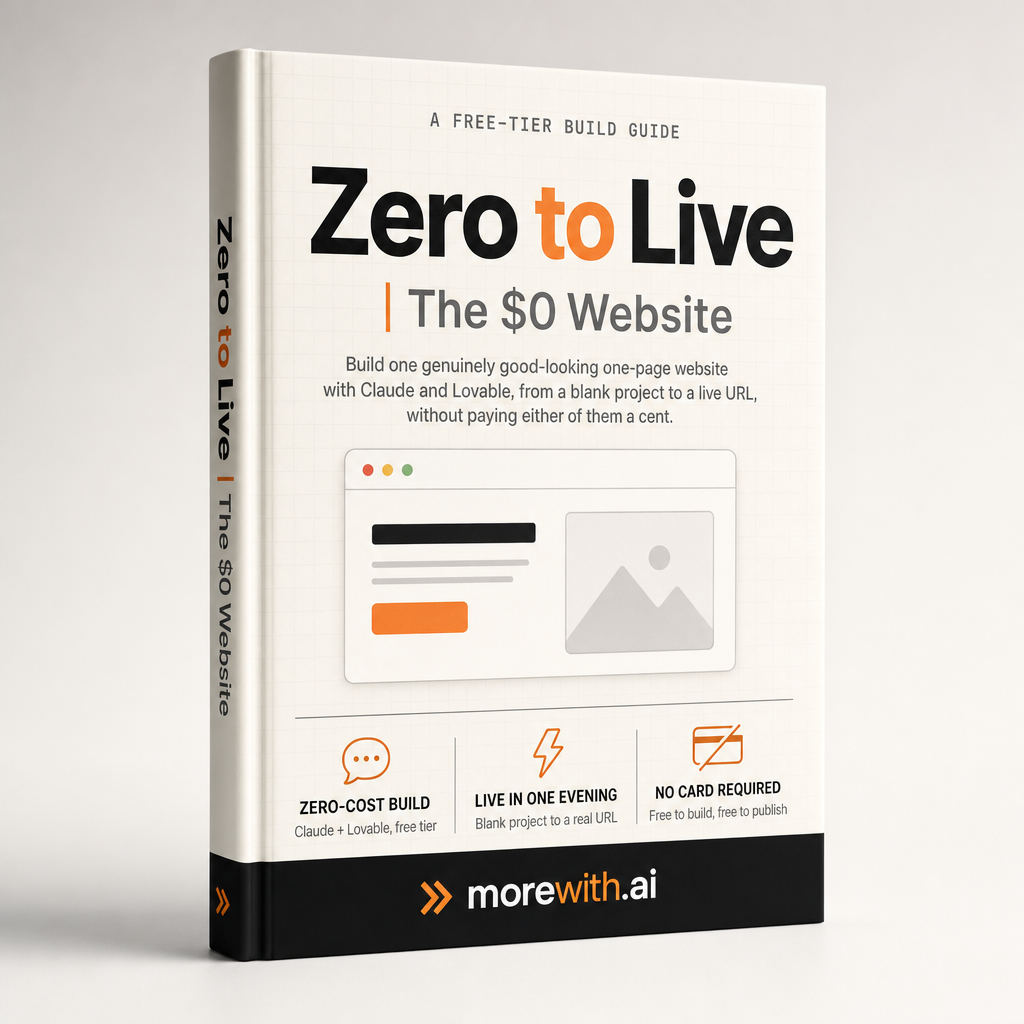
A Free-Tier Build Guide
Zero to Live
The $0 Website
Build one genuinely good-looking one-page website with Claude and Lovable, from a blank project to a live URL, without paying either of them a cent.
$0 to build & publish
$0 to brief & review
One evening
26-page PDF · Instant download
(01) The problem
You don’t need to learn to code. You also don’t need to pay for a course that assumes you already can.
Most people who want a real website today are stuck between two bad options: paying a freelancer or agency hundreds or thousands of dollars, or trying to teach themselves enough design and code to do it themselves, which usually means months of tutorials before anything is live.
There’s a third way that’s gotten good enough to actually recommend: pairing two free AI tools and using them correctly. The “using them correctly” part is what almost nobody explains well, and it’s the entire content of this guide.
(02) The mechanism
The Two-AI Method
Two AIs, two different jobs
Claude is the thinking tab. It takes a vague idea (“a site for my photography”) and turns it into a specific, opinionated brief: who it’s for, what it should say, what it should feel like, what happens when someone lands on it. Then, once you have a draft, it reads the result back critically and tells you exactly what to ask for next.
Lovable is the building tab. It takes that brief and produces a real, working, published web page. It is very good at doing what a sharp brief tells it, and very average at guessing when the brief is thin. That asymmetry is the whole reason the two-tool setup wins.
Everything in the guide is that loop, made repeatable: brief in Claude, build in Lovable, review in Claude, refine in Lovable, publish. Two tabs, no install, no card.
(03) What's inside
26-page PDF · Instant download
Eleven chapters. One live site by the end of them.
- 01The Two-AI Method: what Claude does, what Lovable does, and how to hand work between them with just two browser tabs
- 02Getting Set Up: creating both accounts with nothing but a Gmail address, no credit card, no install
- 03Choosing Your Site Type: the four shapes almost every first site fits, and how to tell which one is yours
- 04The one five-field brief that gets a real first draft instead of a generic one, with a full worked example
- 05The "Make It Wow" pass: turning a fine draft into a memorable one with one named, specific ask instead of vague adjectives
- 06Publishing free, and the one honest thing that actually costs money (a custom domain, entirely optional)
- 07A Prompt Library: 10 ready-made project openers by site type, a 10-move table of named "wow" mechanics, and a fix-it quick reference for when something goes wrong
Appendix: the Prompt Library
Plus a full Prompt Library in the back: ten ready-made project openers by site type (portfolio, service business, launch page, restaurant, wedding, nonprofit, coach, real estate, fitness, personal brand), a ten-move table of named “wow” mechanics for when a draft looks fine but not memorable, and a fix-it quick reference for the handful of things that reliably go wrong.
(04) Who this is for
Never built a site before
No code, no design background, no prior attempt required. Two browser tabs is the whole toolkit.
Freelancers & small business owners
You want a real site that looks like you paid for it, without the invoice that usually comes with it.
Burned by page builders
You tried one and hit a wall: too limited to look good, or too expensive to keep.
Learning the skill, not buying a site
You want Claude and Lovable in your hands as a repeatable ability you can use again next month.
(05) The free-tier proof
Is this actually free?
Yes. Lovable’s free plan gives 5 build credits a day (up to 30 a month), and publishing to a live web address costs nothing even at zero credits left. Claude’s free plan has no fixed daily message cap.
The one honest cost: a custom domain (yoursite.com instead of yoursite.lovable.app) requires a paid Lovable plan, and that’s entirely optional. Most people ship on the free address and decide about a domain later.
So why does a guide about a free website cost $27? Because five credits a day is not the same as unlimited, and a vague prompt can burn two or three of them on something forgettable before you even know what went wrong. The guide is not a fee to unlock the free tier. It is the reason you get a result worth keeping before you run out of tries for the day.
(06) Questions
Does this really cost nothing, or is there a catch?
The site itself costs nothing to build and publish. The one thing that costs money is a custom domain, and it is entirely optional.
If the site is free, why isn't the guide?
You are not paying for access to a free tool. You are paying for the brief and revision method that gets a real result inside your five daily credits, instead of burning through them on generic attempts and starting over tomorrow.
Do I need to know how to code?
No. Everything in this guide happens inside two chat windows.
What if the first draft looks bad, not just generic?
Go back to your brief before you go back to Lovable. A genuinely bad result almost always traces back to a vague brief, not a broken tool.
Can I use this for a real business, not just a hobby project?
Yes. The method does not care what you are selling. The brief structure works the same for a photographer, a coach, a small shop, or a personal portfolio.
How long does this actually take, start to live?
Most first drafts happen in minutes. The hour or so this guide assumes is mostly you deciding what to say, not waiting on either tool.
Is Claude required, or can I just use Lovable on its own?
You can use Lovable alone, plenty of people do. Claude's job is turning a vague idea into a sharp brief and catching generic results before you spend another credit guessing. Skipping it usually means more attempts, not fewer.
New Guide
Zero to Live | The $0 Website
One evening from now, you could have a real site live on the internet. Or you could still be deciding which page builder to try.
$27
26-page PDF · Instant download